
elyvate Changelog
Explore all the latest updates and improvements to elyvate.
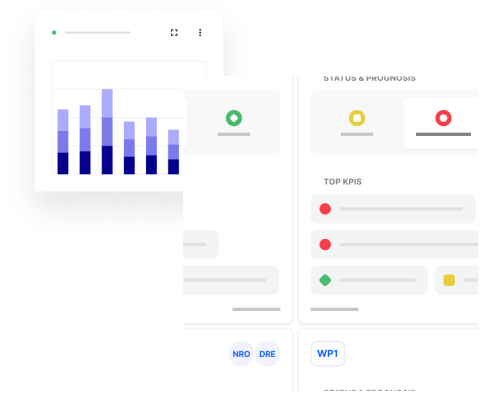
Welcome to your latest elyvate update.This release focuses on giving you clearer visibility, better control, and a smoother day-to-day experience. With a redesigned dashboard, enhanced Kanban flexibility, and thoughtful usability improvements, elyvate continues to evolve into a more powerful steering tool for your projects. Here’s what’s new.
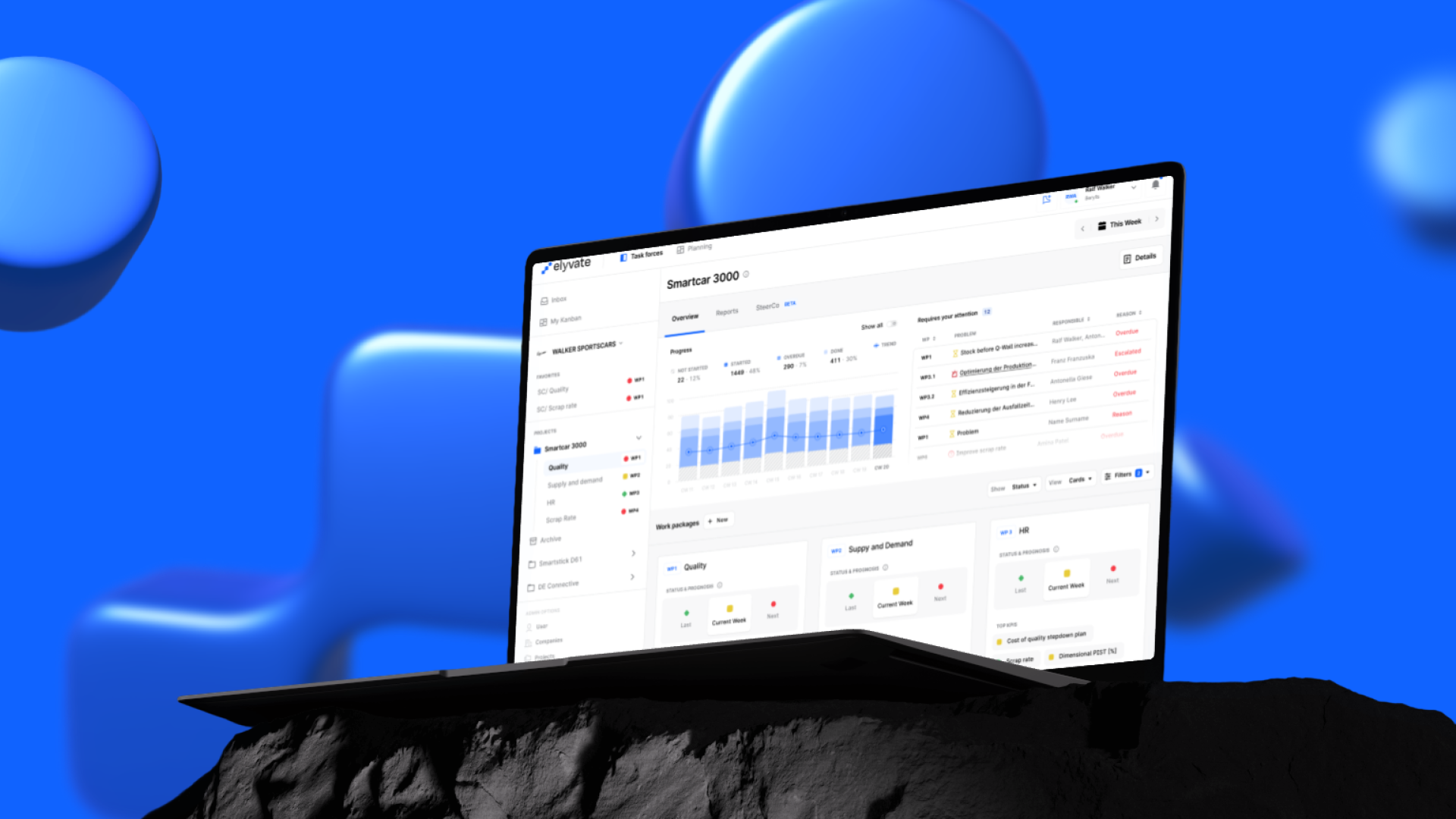
Your dashboard is now your true command center. It automatically highlights what matters most, so you can quickly gauge project health without switching views. You get overall progress at a glance and instant visibility into overdue and critical items. Best of all, it works out of the box for all Project and Work Package Leads. Fewer surprises. Better steering.

For projects that don’t need day-by-day task tracking, you can switch your Kanban board between Calendar Week and the classic Status view.
You can change this in the Kanban board’s view drawer, and your choice is saved automatically, so it stays the same when you return. Choose the view that best matches how you work. More Kanban improvements are coming soon.

Keep context exactly where the work happens. You can now add links inside the measure drawer, from standard web links to relevant SharePoint resources, so everything related to a measure is stored in one structured place.
How it works:
Open a measure → click on Links → add a URL and title → Done
Less searching. More clarity.
Behind the scenes, we’ve continued improving stability and usability:
We’re starting 2026 with important foundational updates and several highly requested features. This release focuses on security, usability, and smarter workflows — while introducing capabilities that make elyvate easier to use day to day and better prepared for what’s coming next.

We’ve rolled out a new authentication provider with improved Single Sign-On (SSO) support for enterprise users.
For enterprise users:
Try using your corporate Microsoft login. No additional setup is required.
For users without enterprise SSO:
Enter your email and click on forget your password —you'll need to reset it once.
The transition takes less than a minute and does not affect any of your projects, work packages, or data.

We've revamped the sidebar to enhance navigation, making it clearer, faster, and more adaptable.
Here's what's new:
Meaning, Antonella AI is now conveniently located in the sidebar, ready to assist with questions and direct you to relevant resources. You can also now favorite work packages, keeping them pinned at the top for faster access throughout the day.
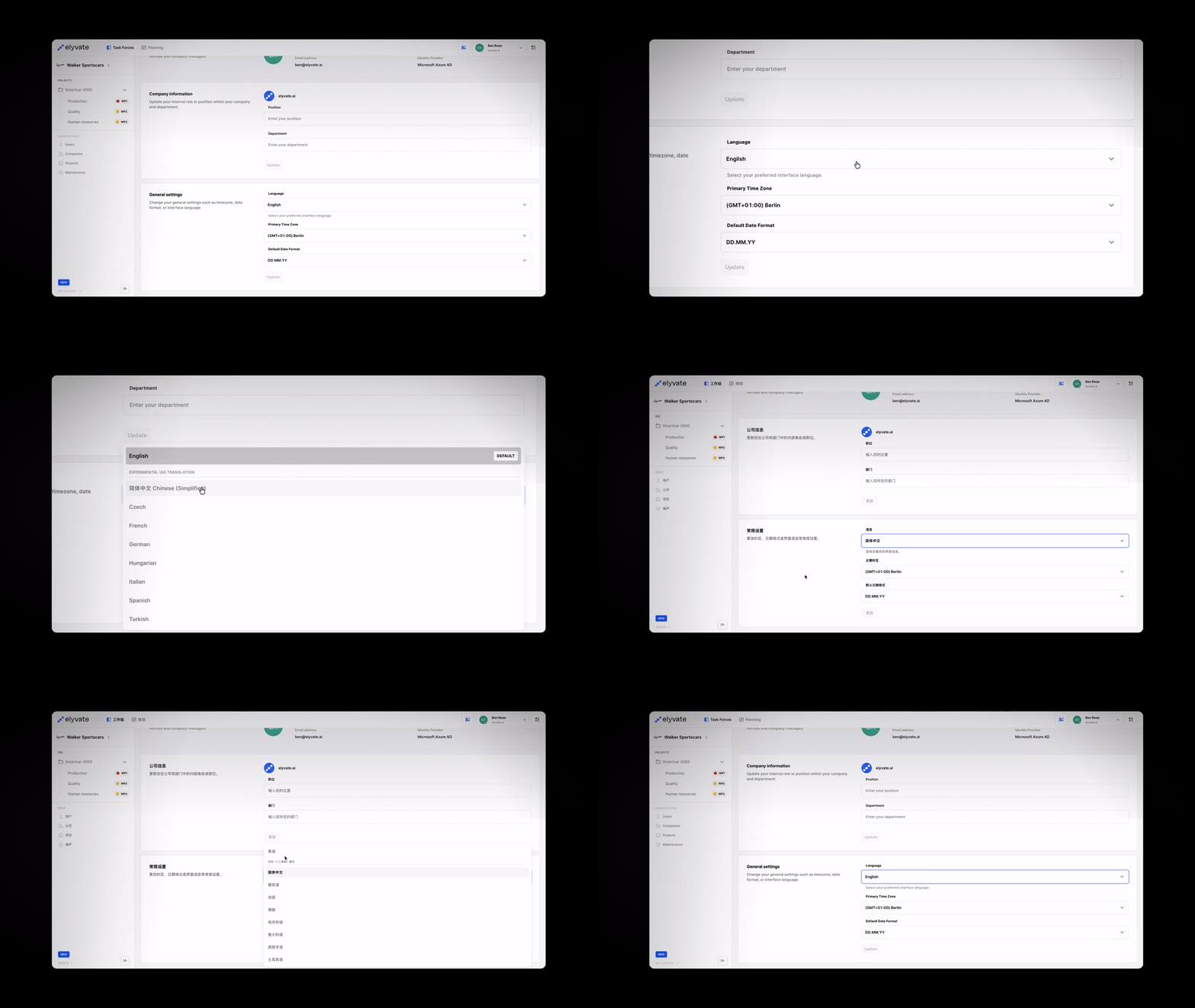
elyvate now supports multiple languages, powered by an experimental AI-based translation layer. This early version will continue to improve as we gather feedback and usage data.
Currently available languages:
You can select your preferred language in User Settings → General via your profile menu at the top of elyvate. This is an important step toward making elyvate truly global.
Behind the scenes, we’ve continued improving performance, stability, and overall quality:
Here’s what’s new from the latest elyvate release cycle — a mix of new features, UX enhancements, and technical upgrades designed to make your daily workflow smoother, faster, and better supported.
This is our last update of 2025, and we wish everyone a wonderful time off. We’re already looking forward to seeing you all back in the new year.
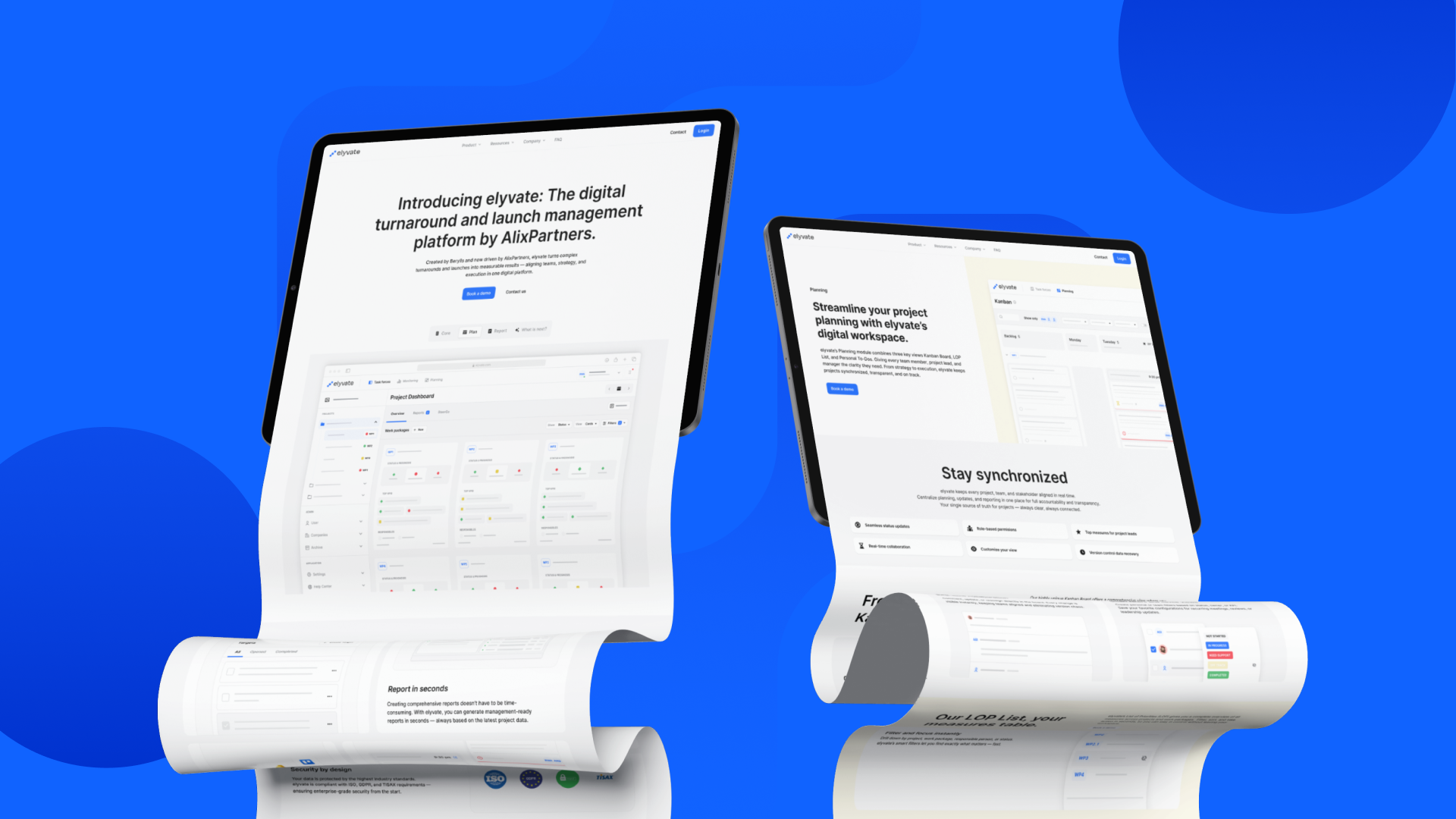
We're excited to introduce the elyvate Help Center — your go-to space for guides, feature explanations, and quick answers. Whether you're new to the platform or diving into advanced functionality, the Help Center helps you get the most out of elyvate.
We've also completely redesigned our website a faster, cleaner experience that better reflects who we are and where we're heading. Check it out to explore new resources, visuals, and insights.
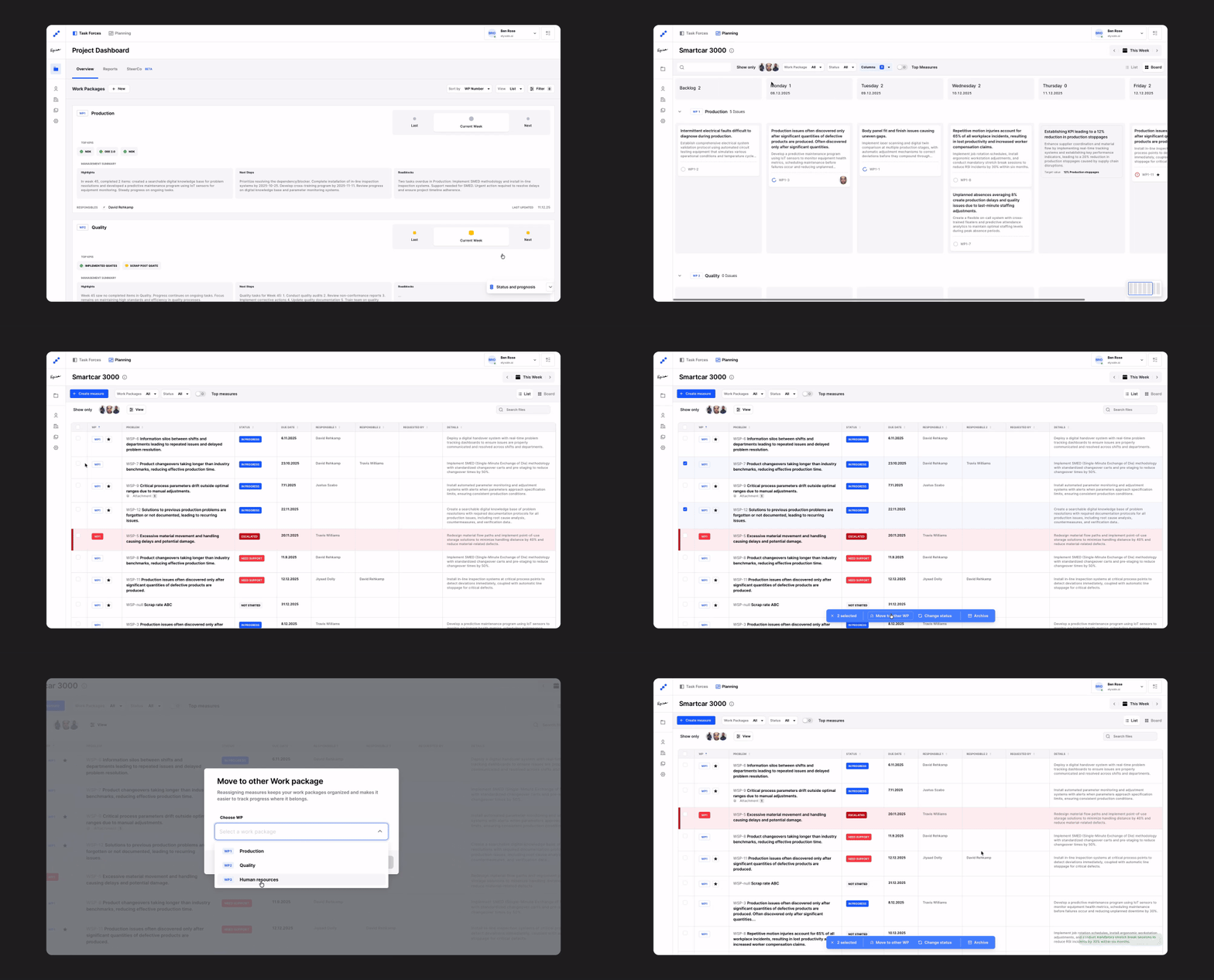
The List of Priorities (LOP) is back, just not in the usual Excel format. It's now a powerful, customizable tool where you can switch seamlessly between list view and Kanban to fit your workflow style. You can also take bulk actions like archiving, moving items to other work packages, or assigning measures. In short, there's nothing you can't do with our planning functionality. Let us know what you think!
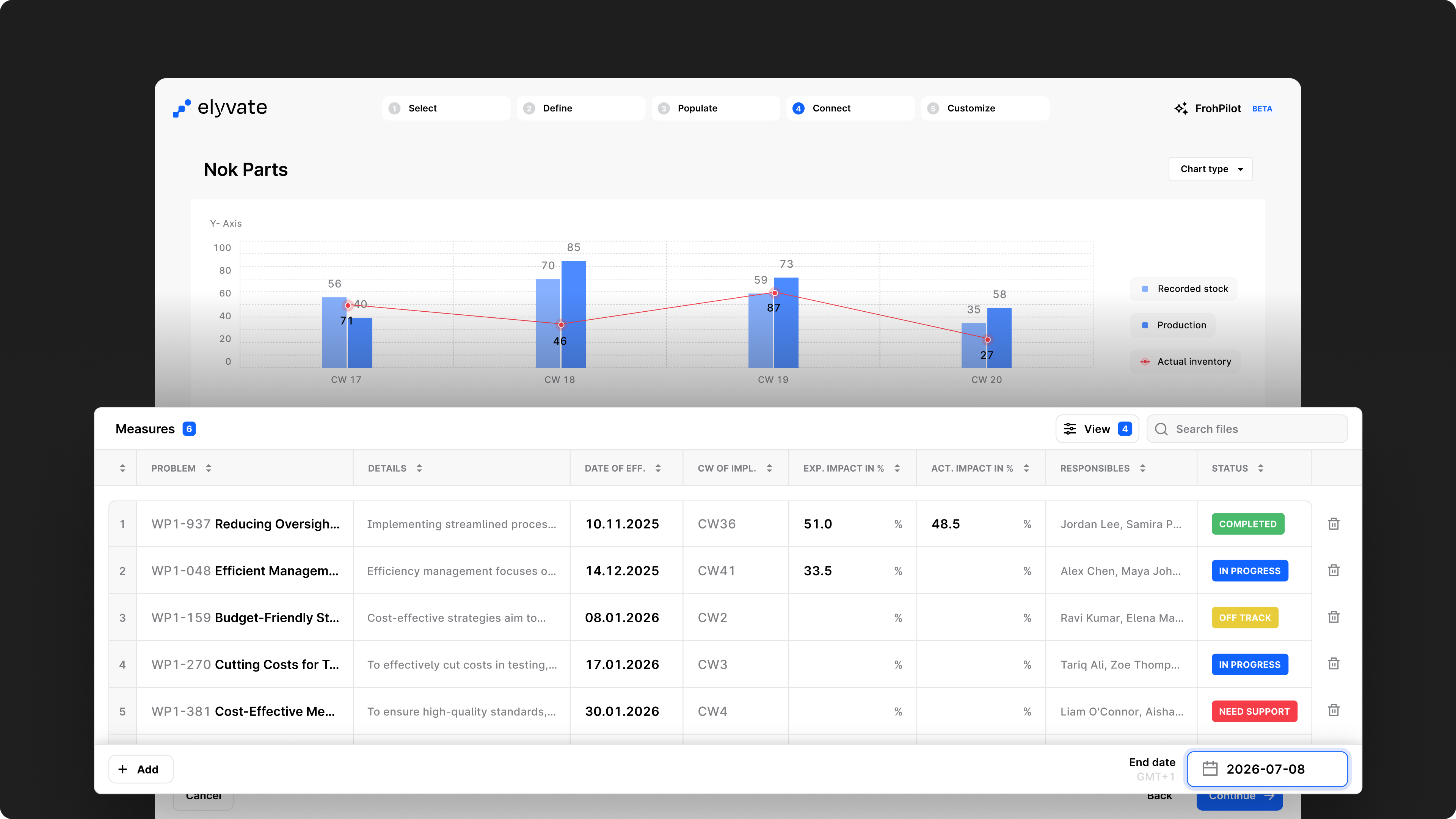
Our KPI Wizard just got a major upgrade. You can now visualize your data more clearly than ever with new chart types including bubble, pie, and waterfall charts. Plus the long-awaited Glidepath BETA, which shows both expected and actual impact over time.
What's new:
We've been working behind the scenes to keep the platform running smoothly and securely:
This release focuses on improving your daily workflow—from tracking personal tasks to organizing KPIs and streamlining navigation in elyvate. Before we dive in, please note that we've updated our URL structure, so you may need to update your bookmarks.
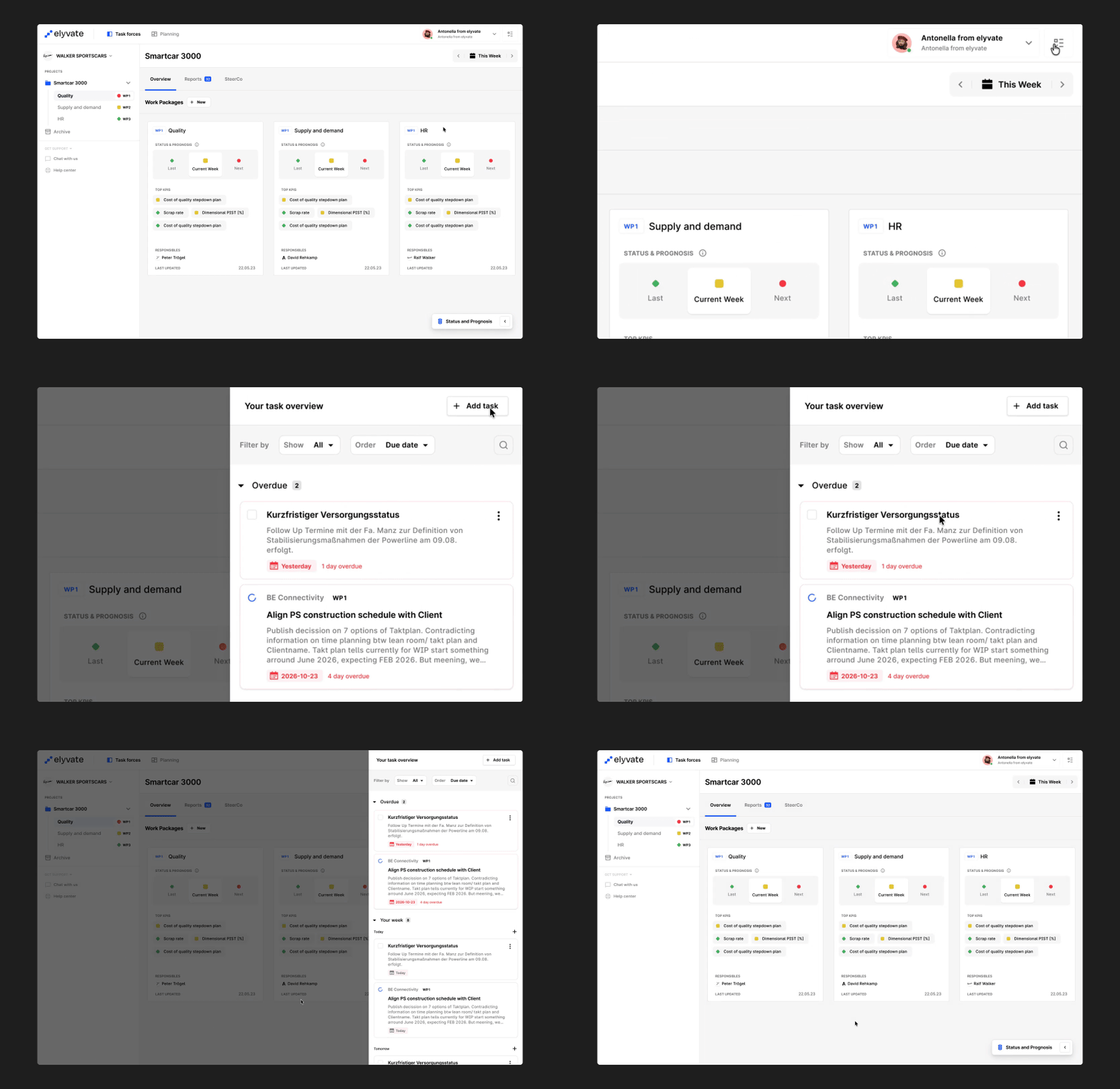
Your workspace just got personal.
You can now manage your own tasks directly inside elyvate — whether they’re work-related or personal reminders. Todos live right alongside your project measures, so you can keep track of everything that matters without switching tools.
Don't worry — personal means personal. Your personal todos are completely private and will only be visible to you. They won't show up in project views, team dashboards, or anywhere else. Only you can see and manage them.
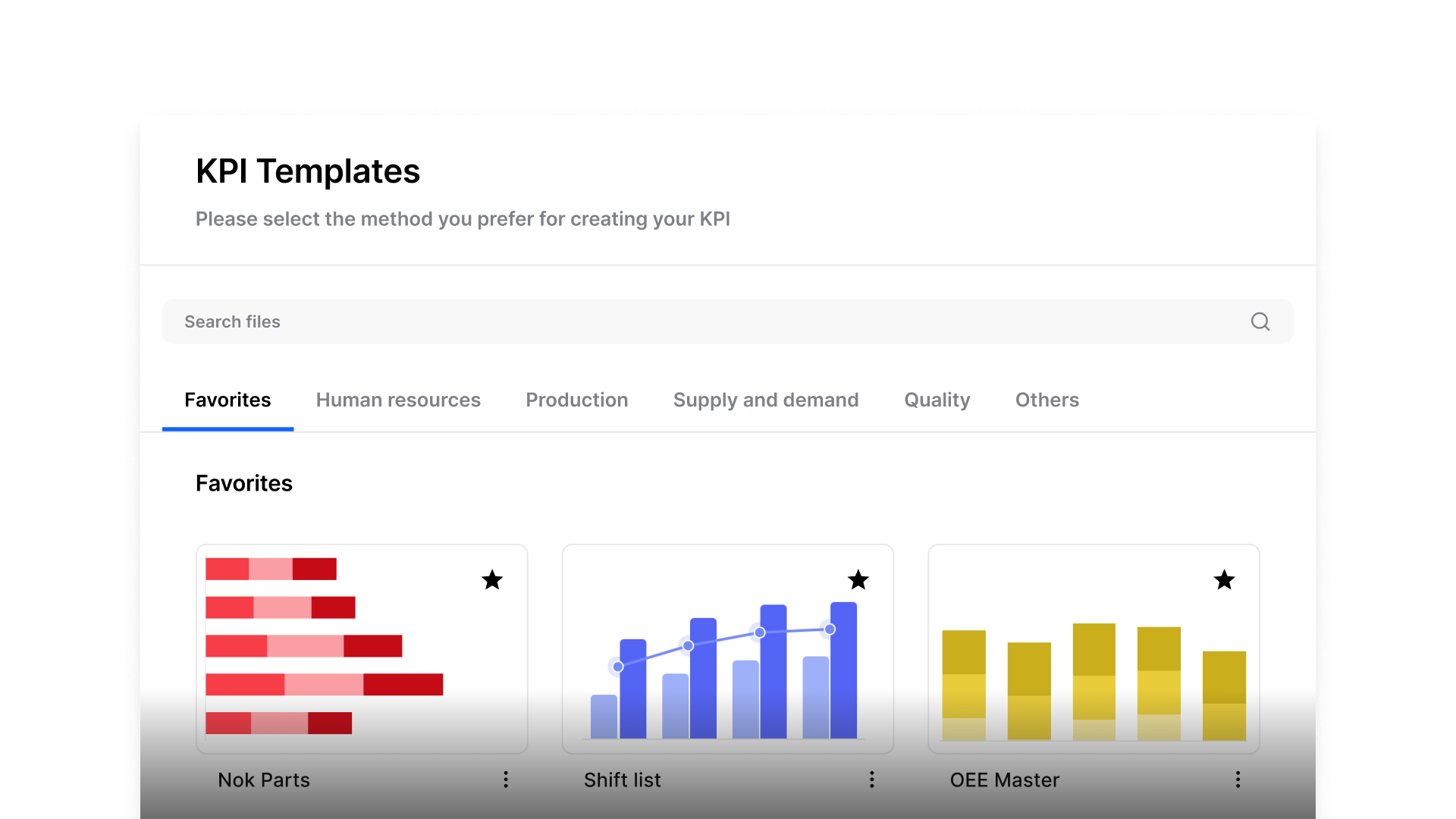
Creating KPIs just got a lot faster. The new Wizard Templates let you start from proven setups and save your own templates for future use. You can also favorite your most-used KPIs, so they’re ready in just one click. We've just started adding the most common KPIs to get you up and running quickly. The template library will continue to grow week by week and month by month. If you're missing a specific KPI or template, just let us know — we can set up a custom template for you in under a day.
We’ve continued refining the platform behind the scenes to keep things running smoothly:
This release brings one of our biggest updates yet: a brand-new KPI Wizard 2.0 (now in Beta), more enhancements to Kanban, and a logic change that gives you more flexibility in structuring projects. Plus, as always, plenty of fixes and improvements behind the scenes.
We’re excited to share the latest updates to elyvate. Our focus this month was on making your planning, tracking, and reporting easier and more flexible — while laying foundations for even bigger improvements in the months to come.
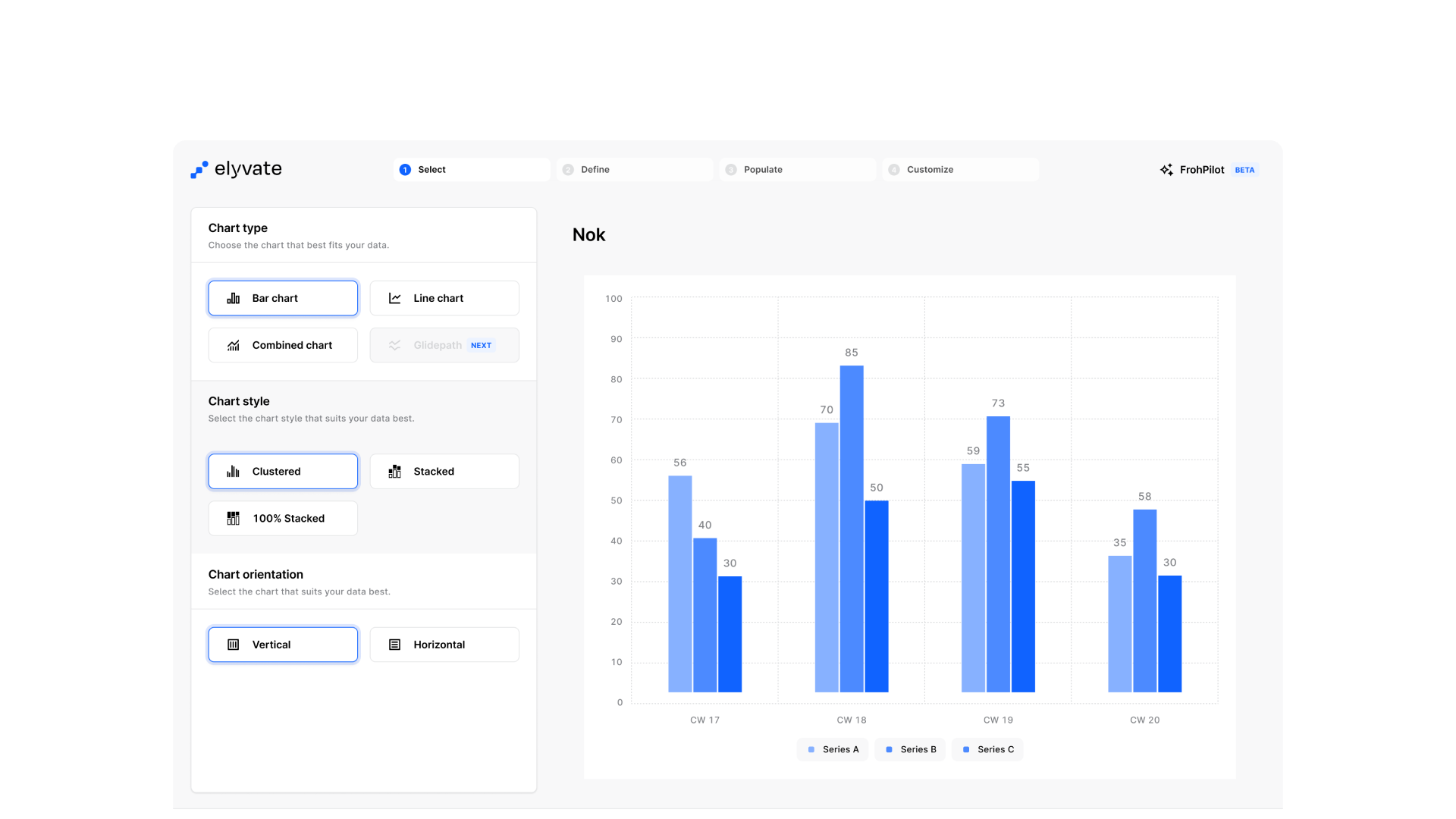
Our KPI Wizard is entering its next chapter. With a completely new design and code base, this release introduces a smoother experience, refreshed charts, and a foundation for upcoming features like a fully redesigned Excel upload and target glide paths.
Key changes:
This is just the beginning — we’re thrilled to take the Wizard to the next level and can’t wait for your feedback at support@elyvate.ai
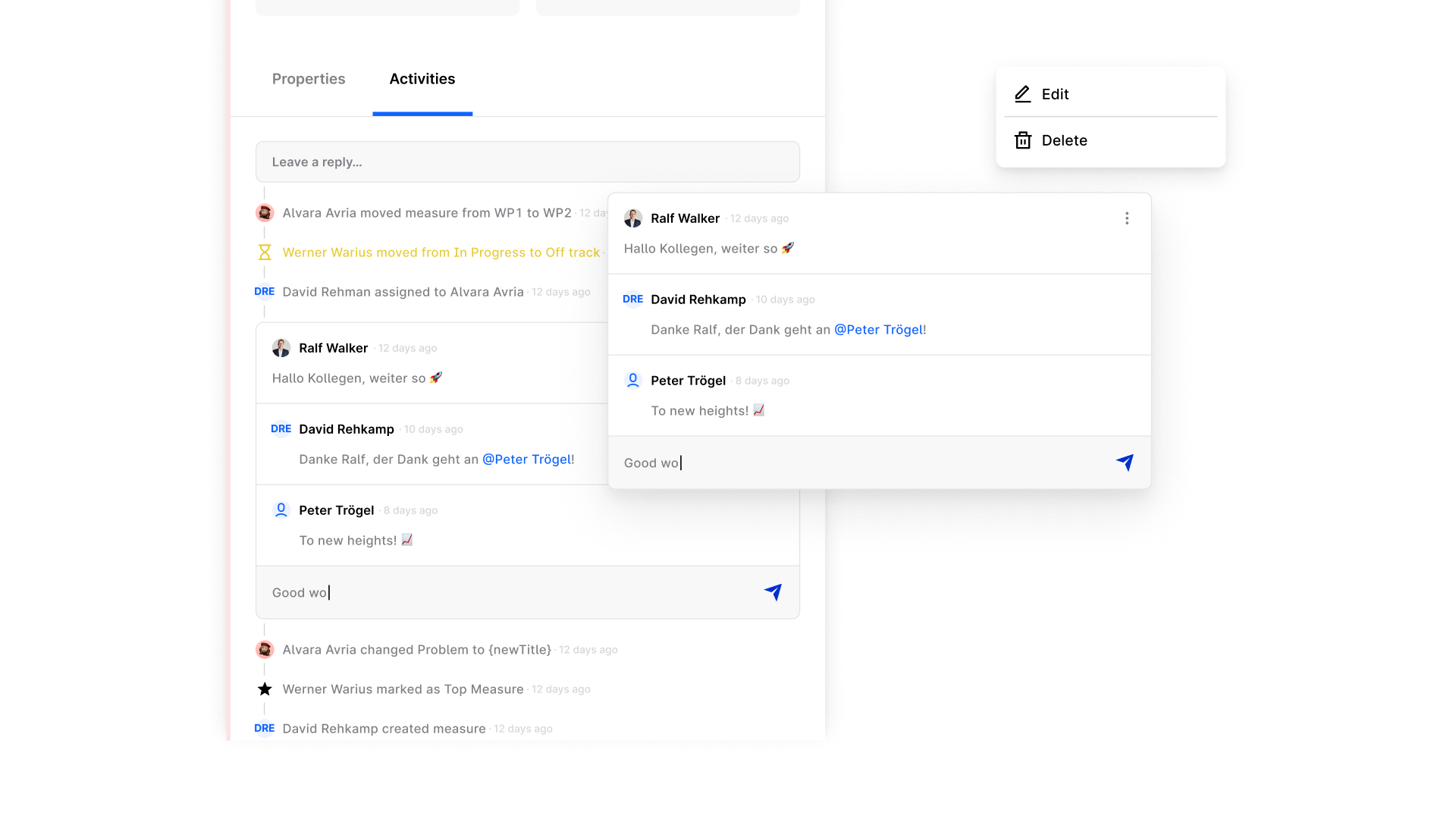
Kanban continues to evolve into one of elyvate’s core strengths. This release brings a mix of workflow improvements and quality-of-life updates to make it even more powerful and intuitive
What’s new:
We hope you enjoy all these updates! We'd love to hear what you think — just leave your feedback at support@elyvate.ai
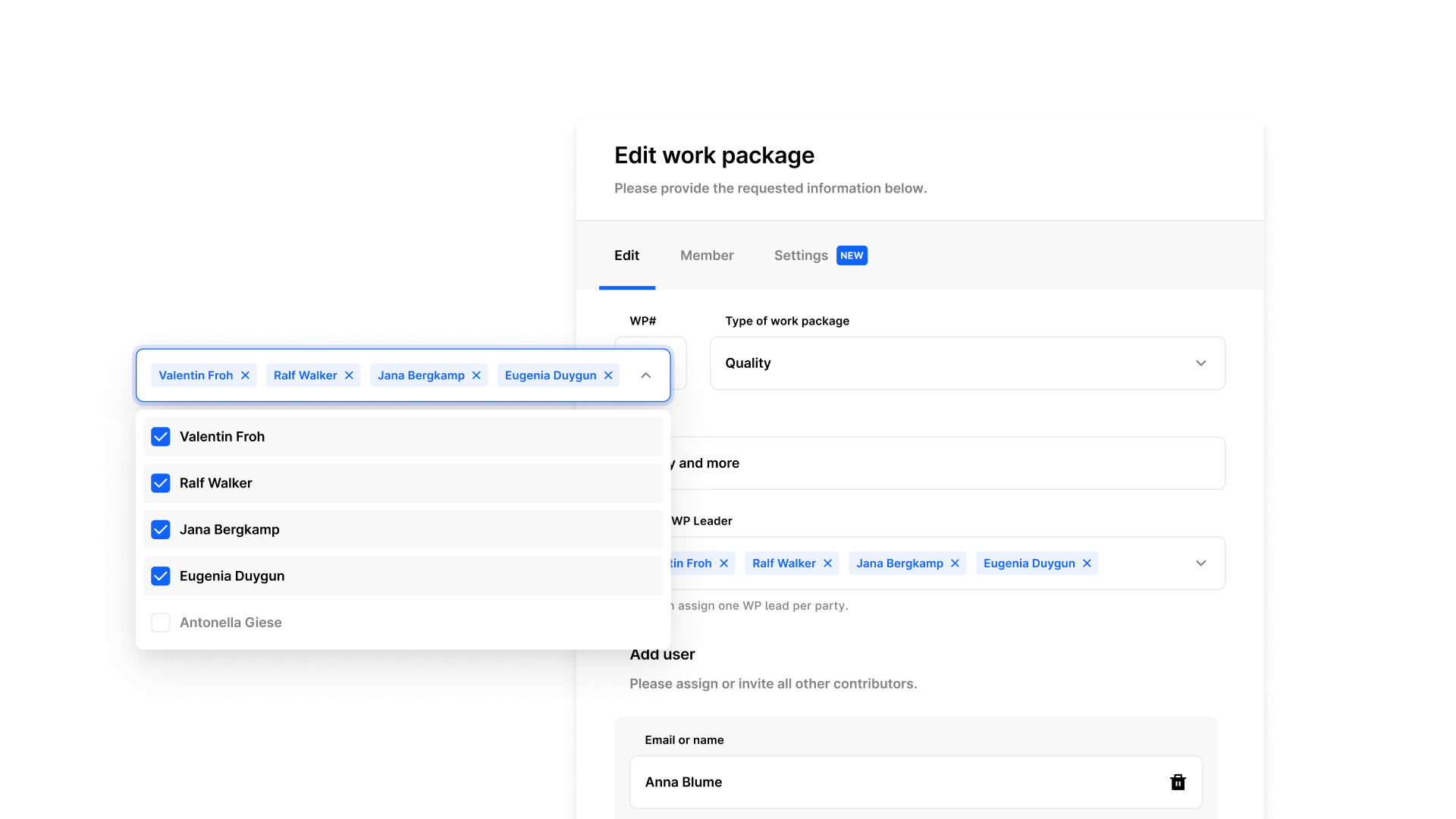
We’ve adjusted the logic around Project Lead (PL) and Work Package Lead (WPL) assignments to give you more flexibility while still following task force best practices. Instead of a max. of 2 PL or WPL per project/ work package, you can now assign 1 per party.
Example:
If you have 5 parties involved, you can assign 5 WPLs to one WP if needed, just one per party involved.
This gives teams more freedom to structure responsibilities without breaking the wonderful industry standard.
We’ve continued refining the platform behind the scenes to keep things running smoothly:
This month's release focuses on usability, speed, and small but powerful enhancements. Kanban is now more stable, Targets get an AI boost, and planning is easier with our new Calendar Week-Picker.
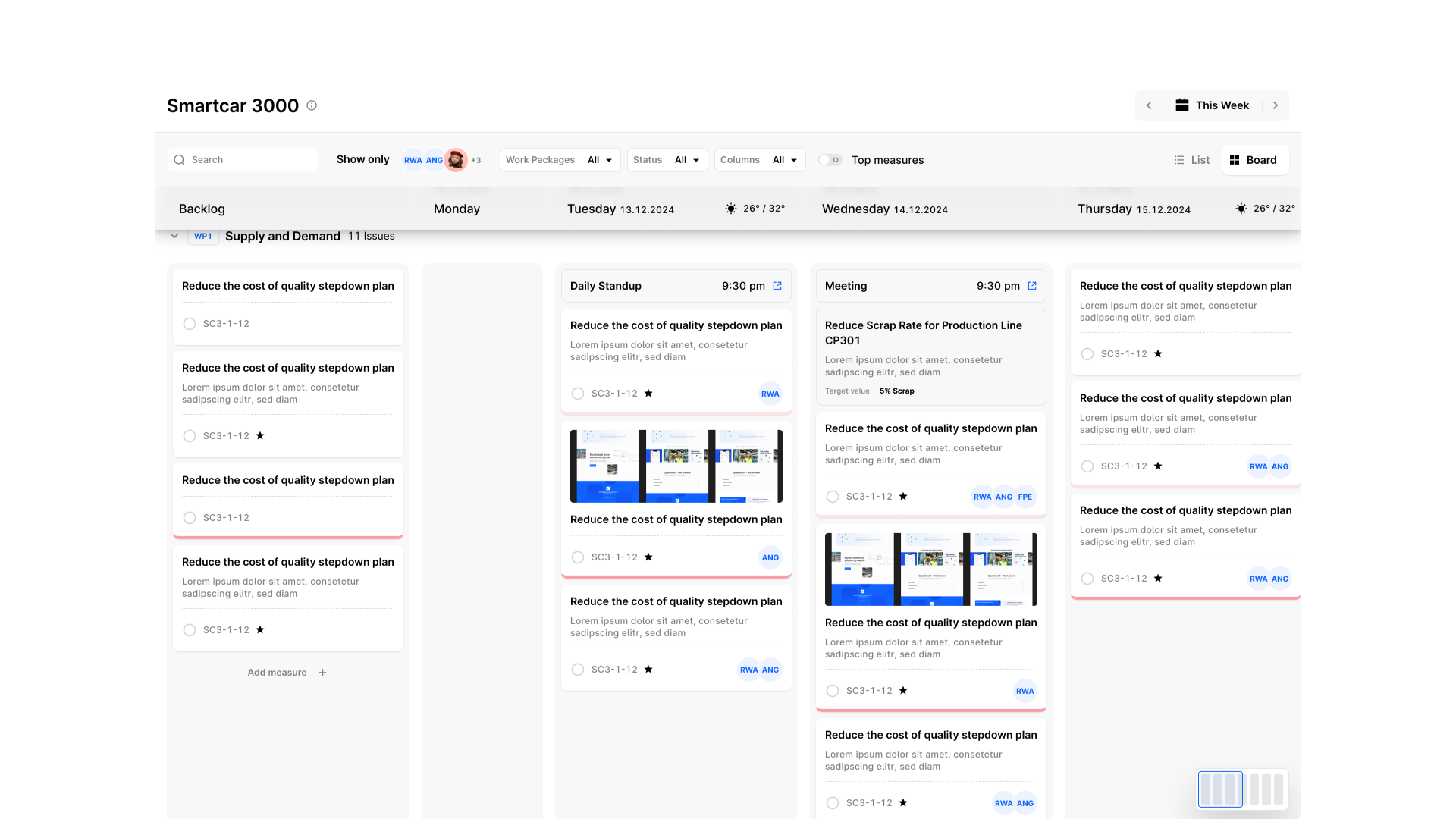
We know Kanban is at the heart of how many of you work in elyvate — so we've given it a major tune-up. The board now feels smoother, looks cleaner, and responds faster to your actions, so managing measures feels effortless from start to finish.
What's new:
Try it out and share feedback with support@elyvate.ai
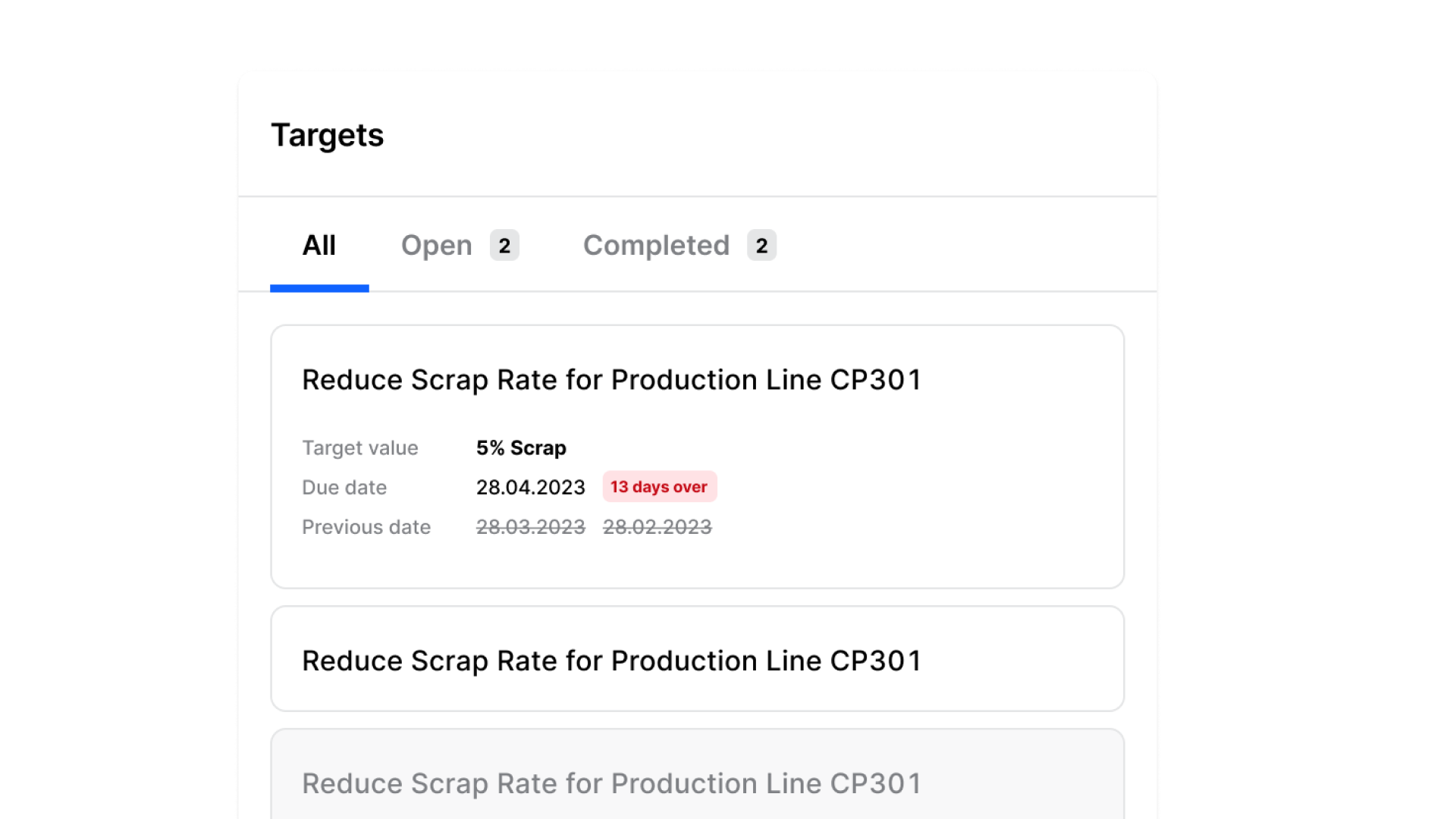
Targets are now easier — and smarter — to create. With a refreshed design and our first AI-powered suggestions, elyvate can read your target title and propose fitting categories for you to refine. Keep in mind, it's in beta, so your corrections help make it smarter.
Also new:
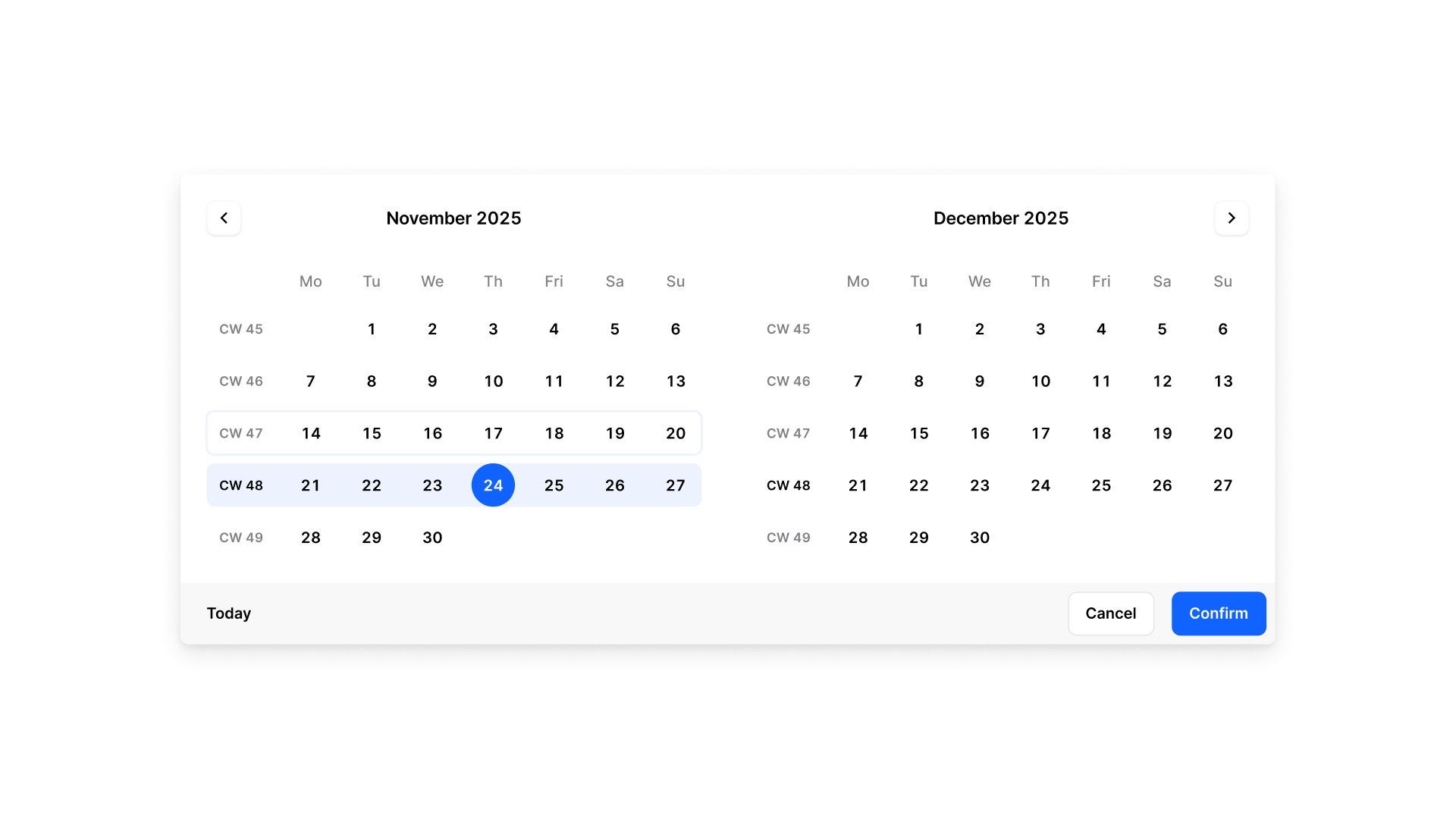
Planning your week and your next report should be quick and intuitive — and now it is. The new week-picker design makes it easier to spot your selection and jump between weeks.
Highlights:
We've cleaned up performance, squashed bugs, and prepped the system for bigger things to come.

